Why Teams Start

Stop running the season through scattered tools.

Fragmented systems slow every decision.
Season Atlas gives staff one command center.
Start with your existing data. Build from there.

What Your Account Unlocks

See the product before you sign up.
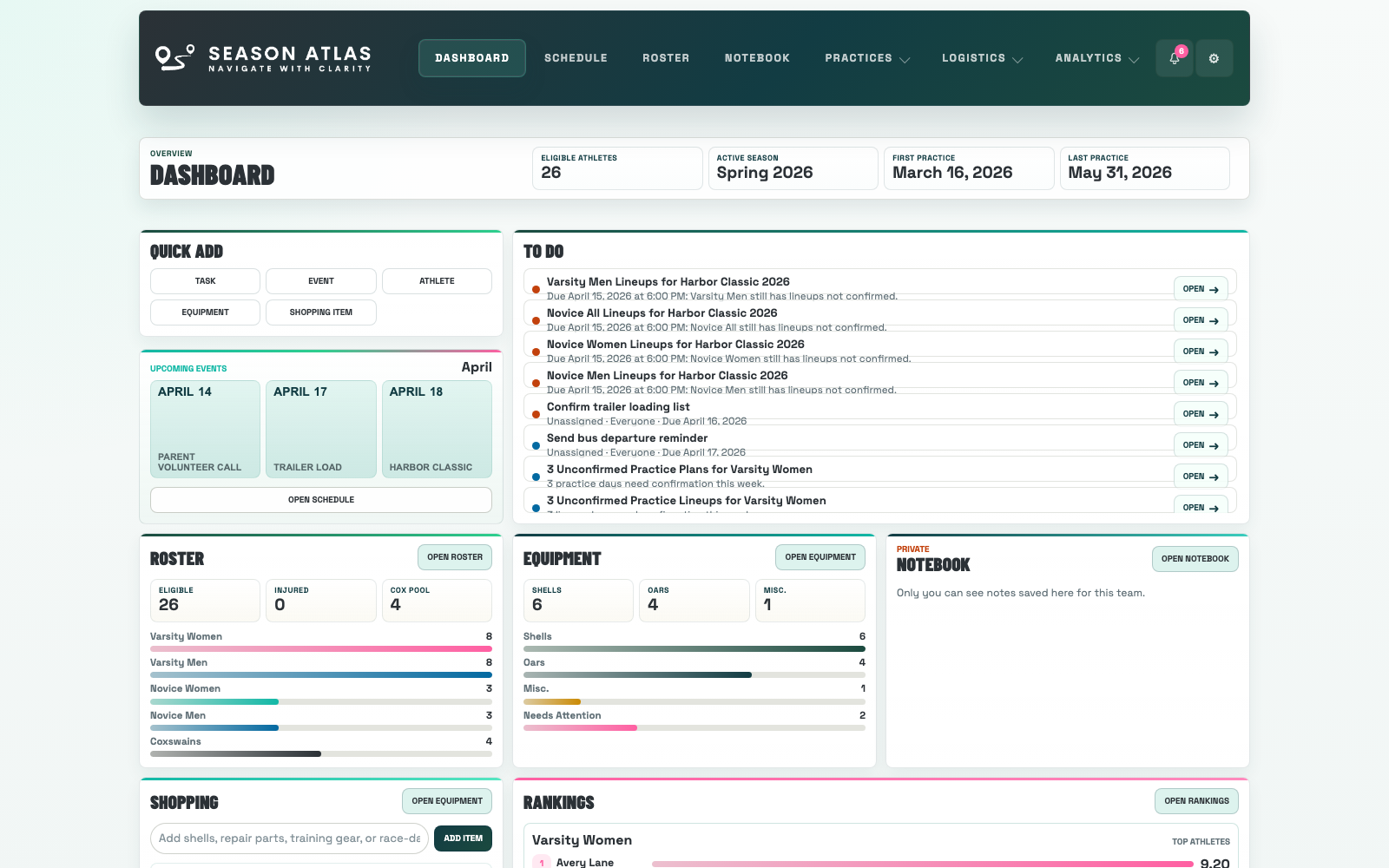
Season Atlas dashboard showing live calendar, shopping, and notifications

Slide 1

Problem: staff rarely sees the full season at once.

The dashboard solves that by bringing schedule context, team follow-up, shopping needs, and notifications into one working view.

Why it matters: clearer visibility helps teams move before things are missed, not after.

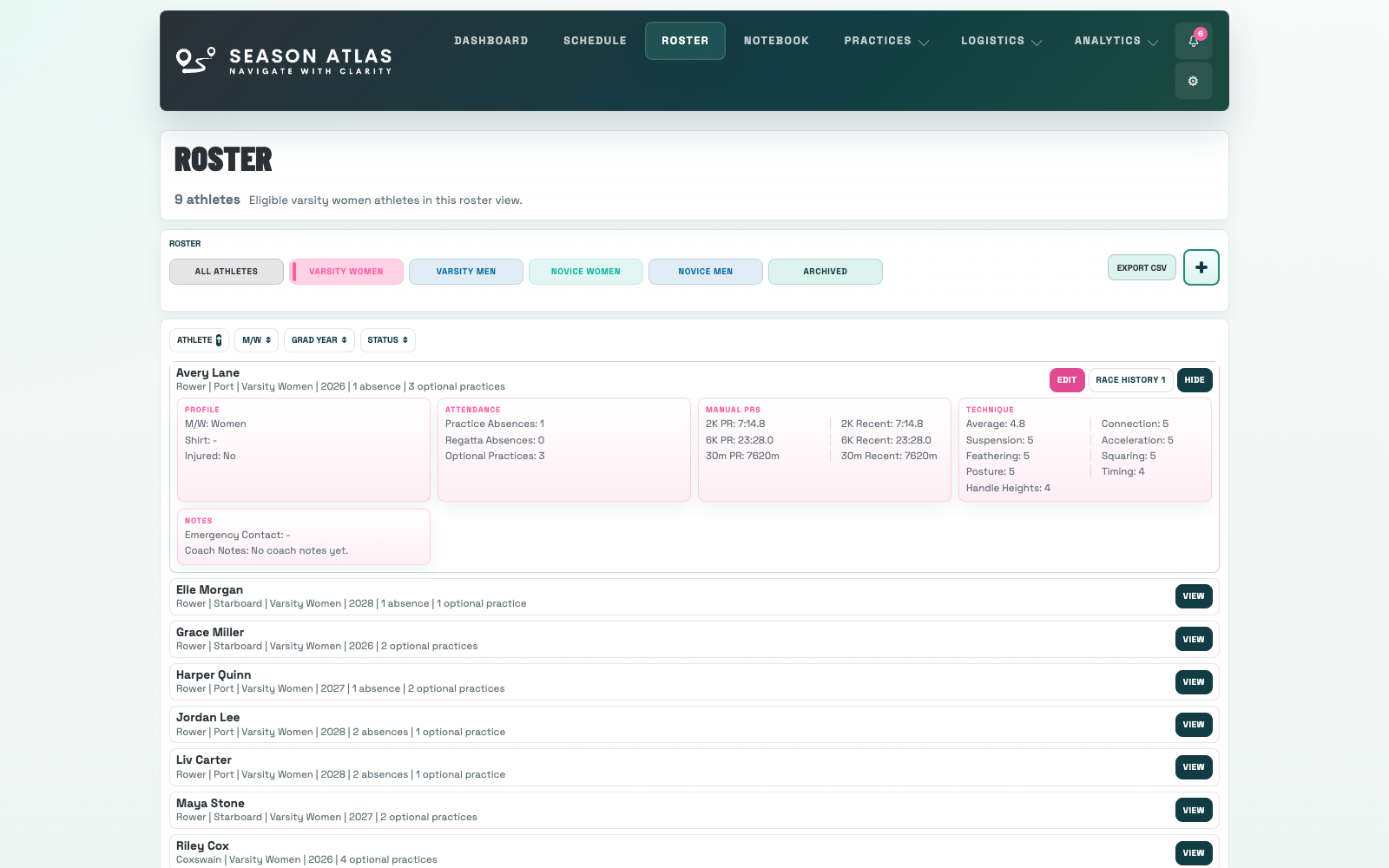
Season Atlas roster page showing athletes, squads, and athlete details

Slide 2

Problem: roster information gets rebuilt in too many places.

Season Atlas keeps athletes and coxswains organized by squad, graduation year, side, and notes so the rest of the system starts from one source of truth.

Why it matters: planning, communication, and performance history work better when identity is consistent.

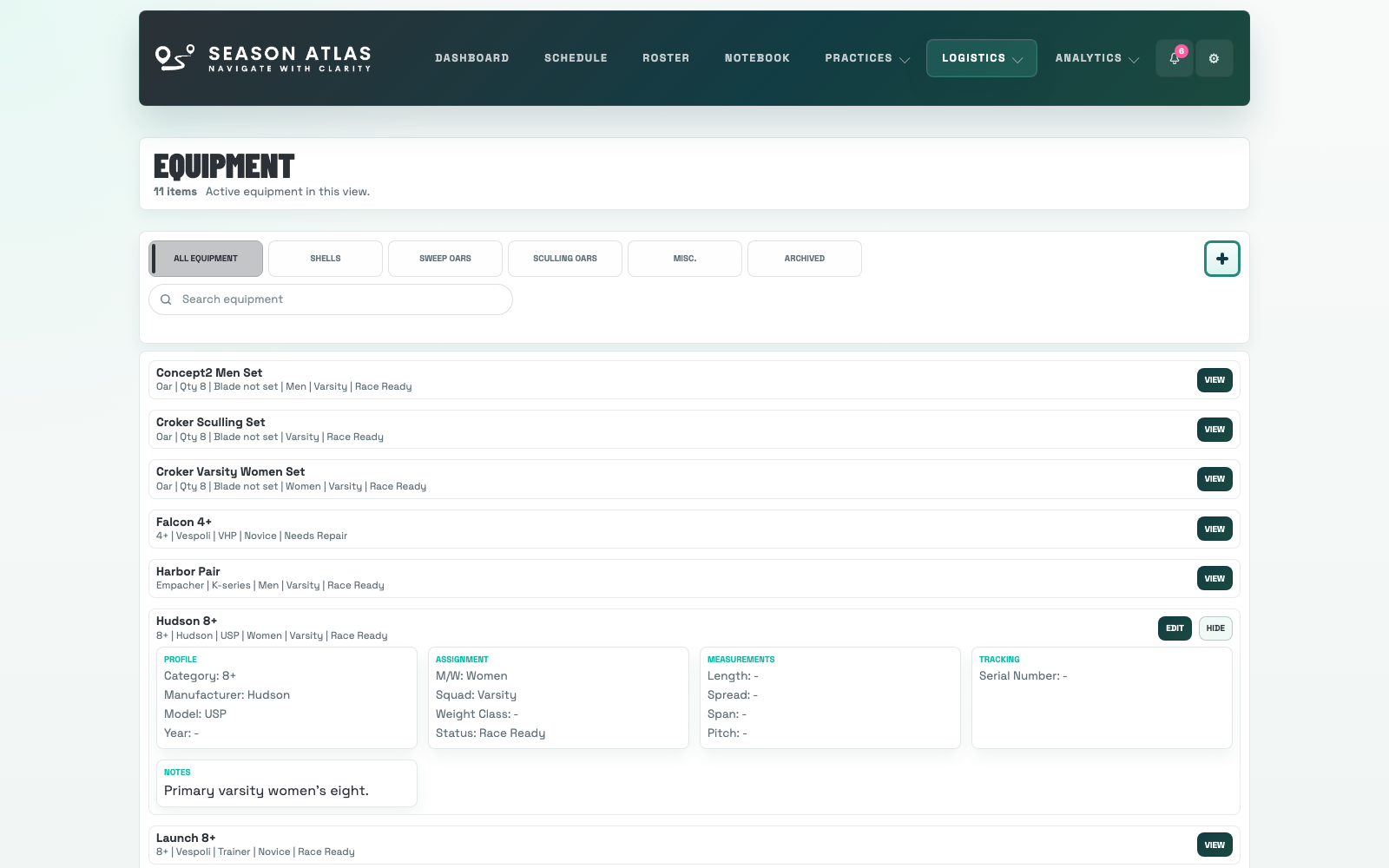
Season Atlas equipment page showing shells, oars, and readiness details

Slide 3

Problem: equipment status is easy to lose track of.

Track shells, oars, readiness, and notes in one place so logistics stay connected to practice plans and regatta prep.

Why it matters: staff can see what is race ready, what needs work, and what still requires follow-up.

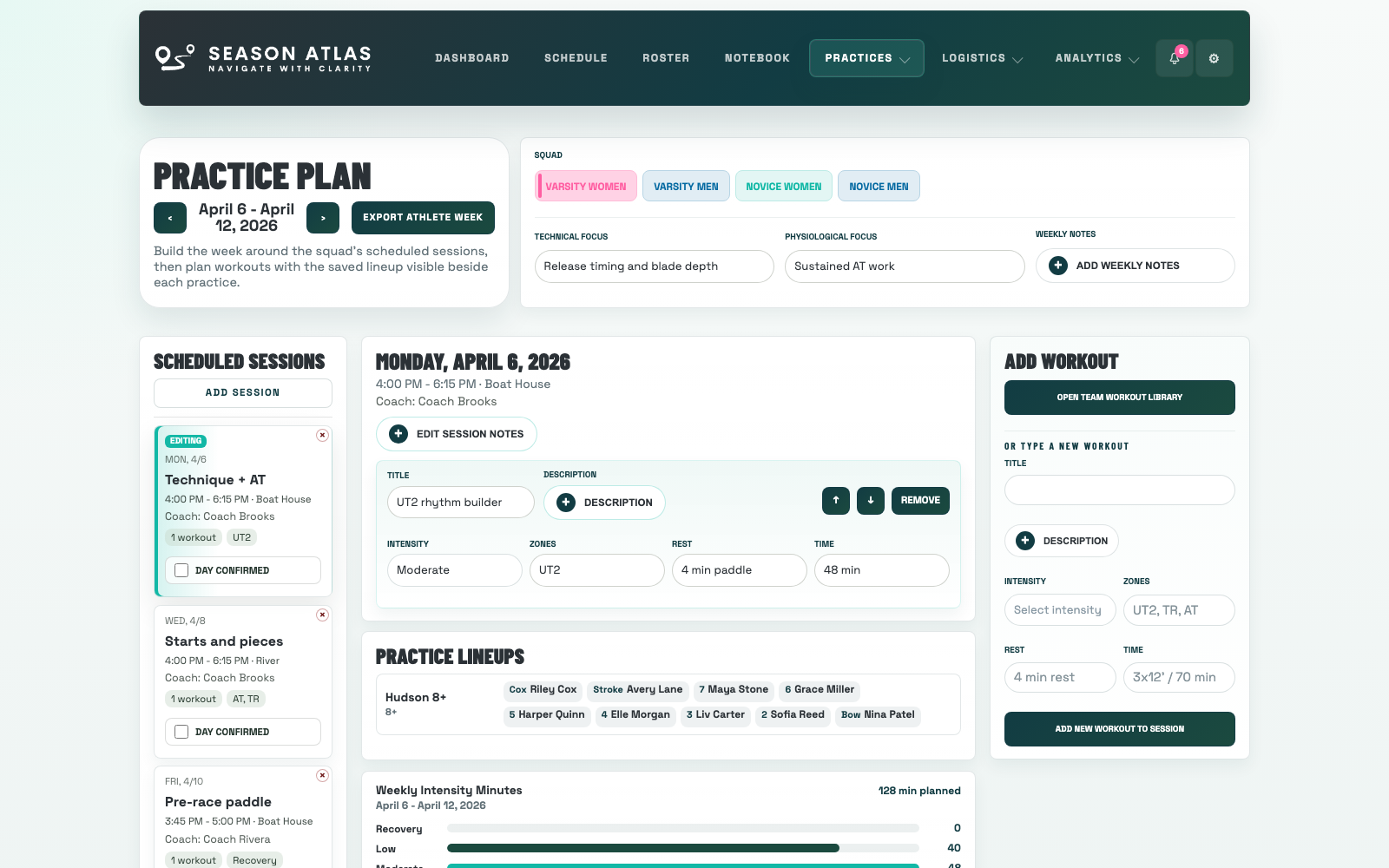
Season Atlas practice plan page with session detail, workouts, and lineup context

Slide 4

Problem: practice planning often breaks across multiple tools.

Practice Schedule, Practice Plan, and Practice Lineups work together so weekly rhythm, daily detail, and lineup execution stay connected.

Why it matters: coaches keep momentum when the plan and the execution live in the same system.

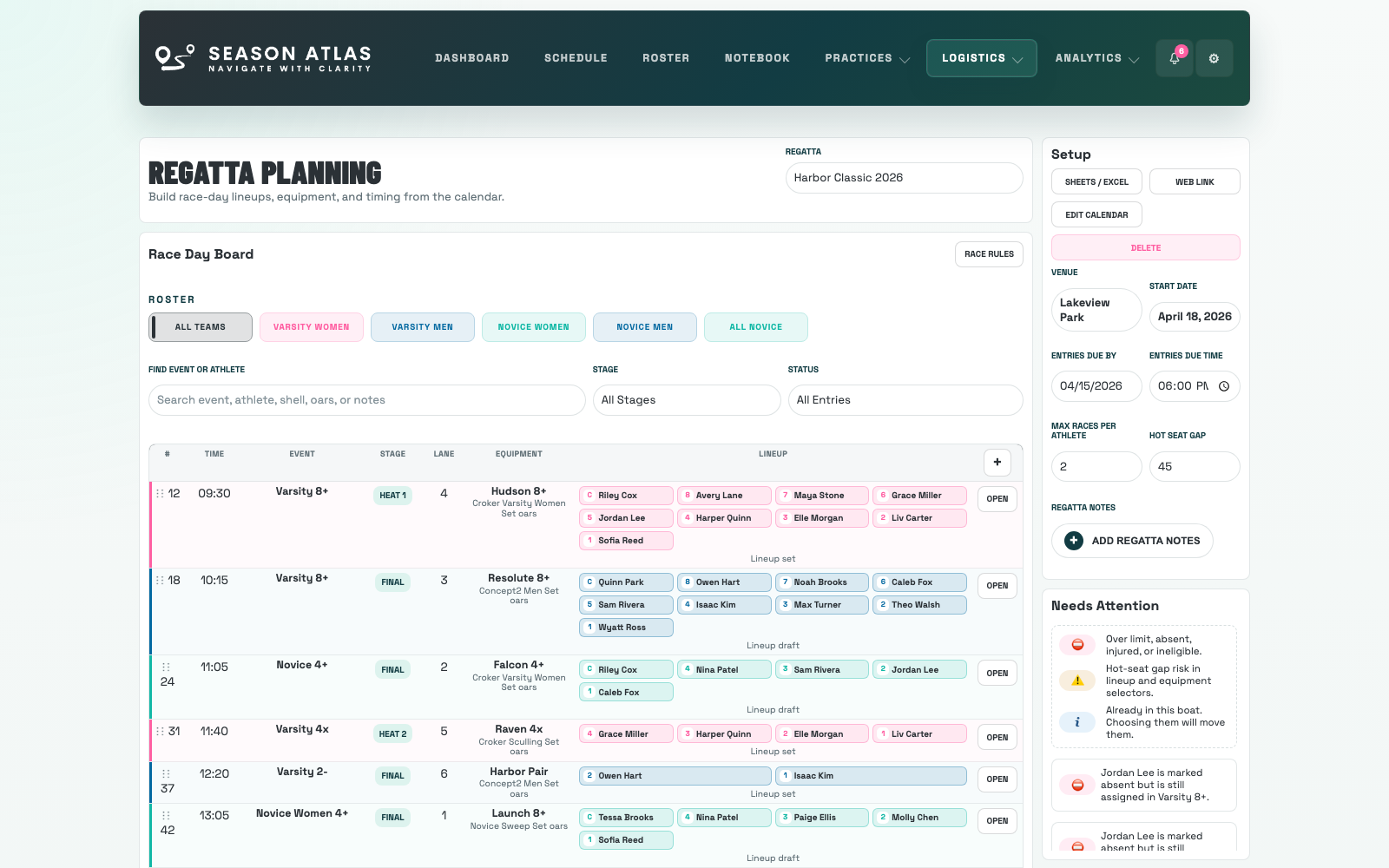
Season Atlas regatta board with race-day entries, shells, and lineup assignments

Slide 5

Problem: race weekends become reactive too quickly.

Season Atlas keeps equipment, regatta planning, and race review in one workflow instead of scattered checklists, chats, and side notes.

Why it matters: race prep becomes easier to manage before the weekend, not just during it.

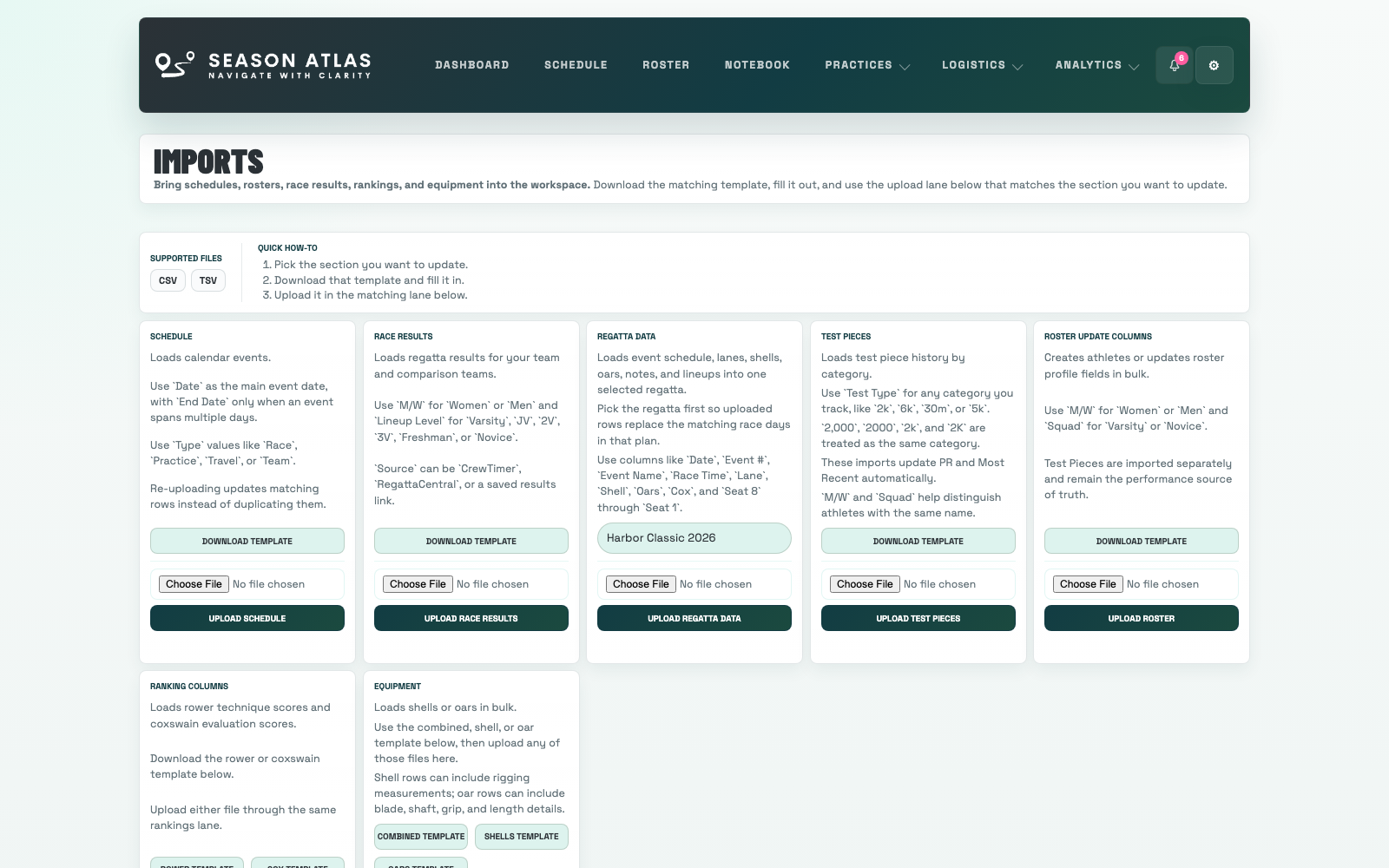
Season Atlas imports page with multiple setup templates visible at once

Slide 6

Problem: setup feels bigger than it should.

Create the account, download the matching templates, and move in the spreadsheets your team already uses.

Why it matters: you can build order and visibility without rebuilding the whole season on day one.

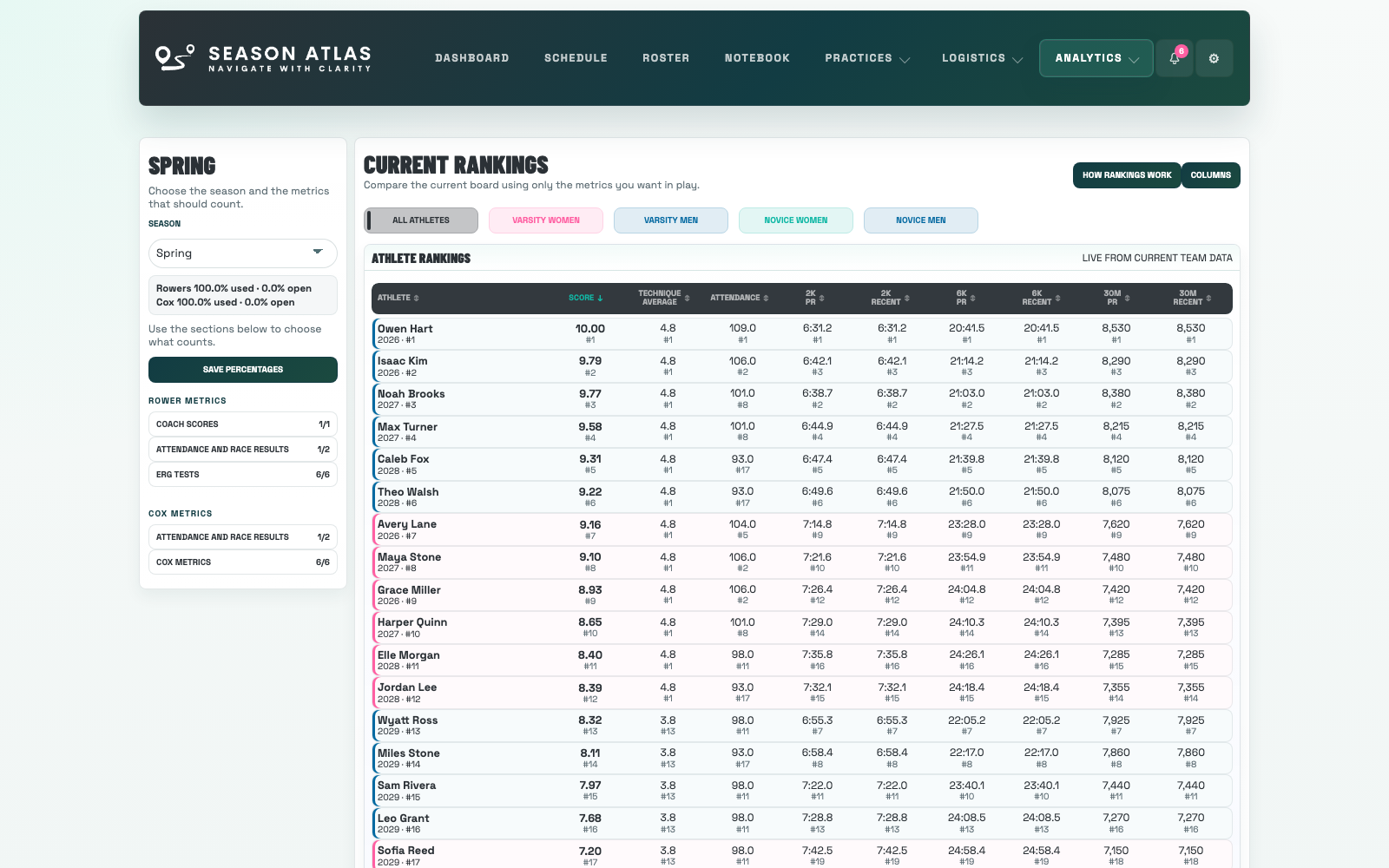
Season Atlas rankings page showing percentage controls and lock options

Slide 7

Problem: rankings change too much when weights move.

Edit percentages in one pass, lock the numbers that need to stay put, then save when the profile is ready.

Why it matters: staff can tune rankings without losing the weights they already trust.

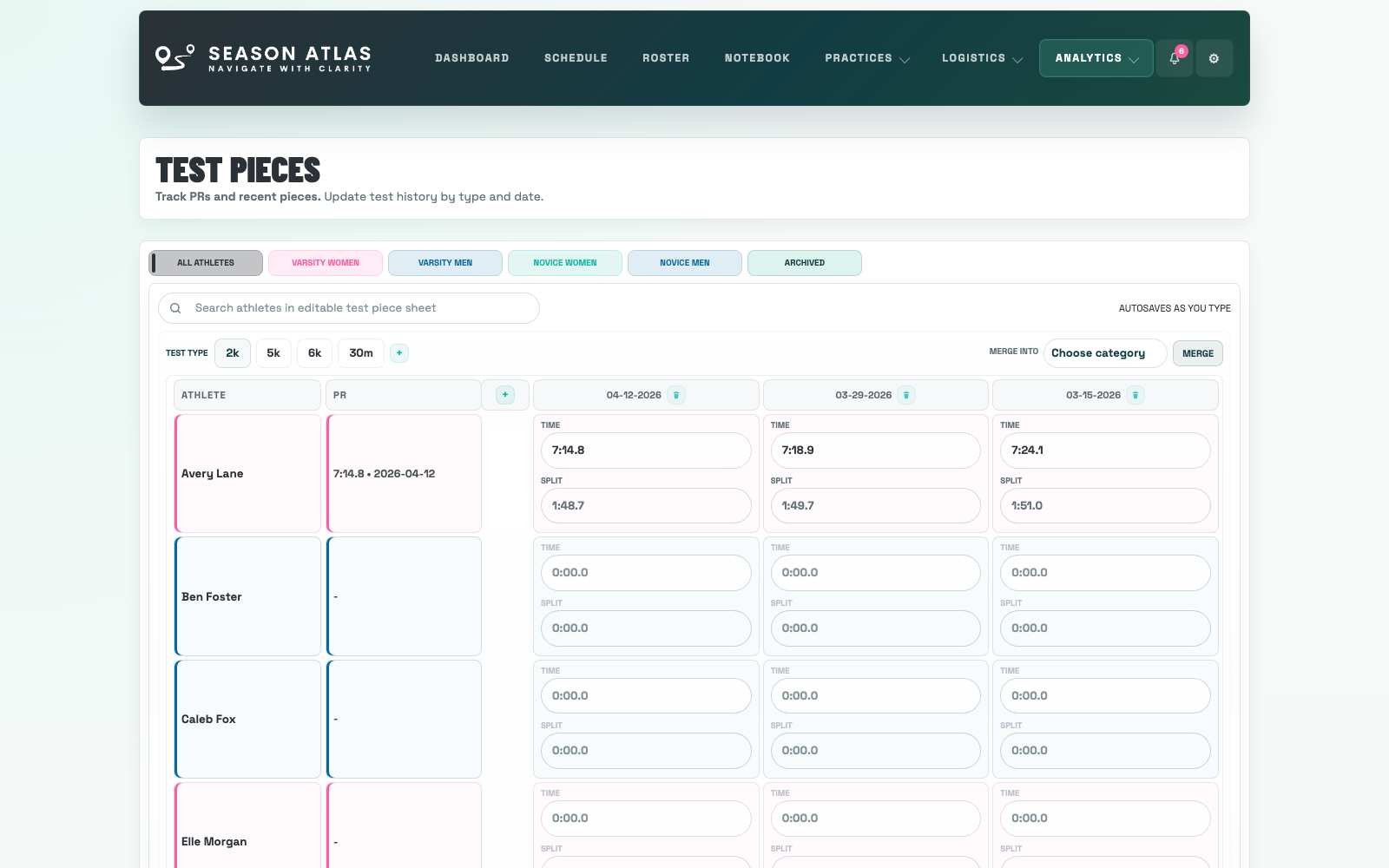
Season Atlas test pieces page showing custom test categories and merge controls

Slide 8

Problem: test names do not always arrive clean.

2,000, 2000, 2k, and 2K land in the same category, and duplicate categories can be merged without losing data.

Why it matters: performance history stays usable even when imports are messy.

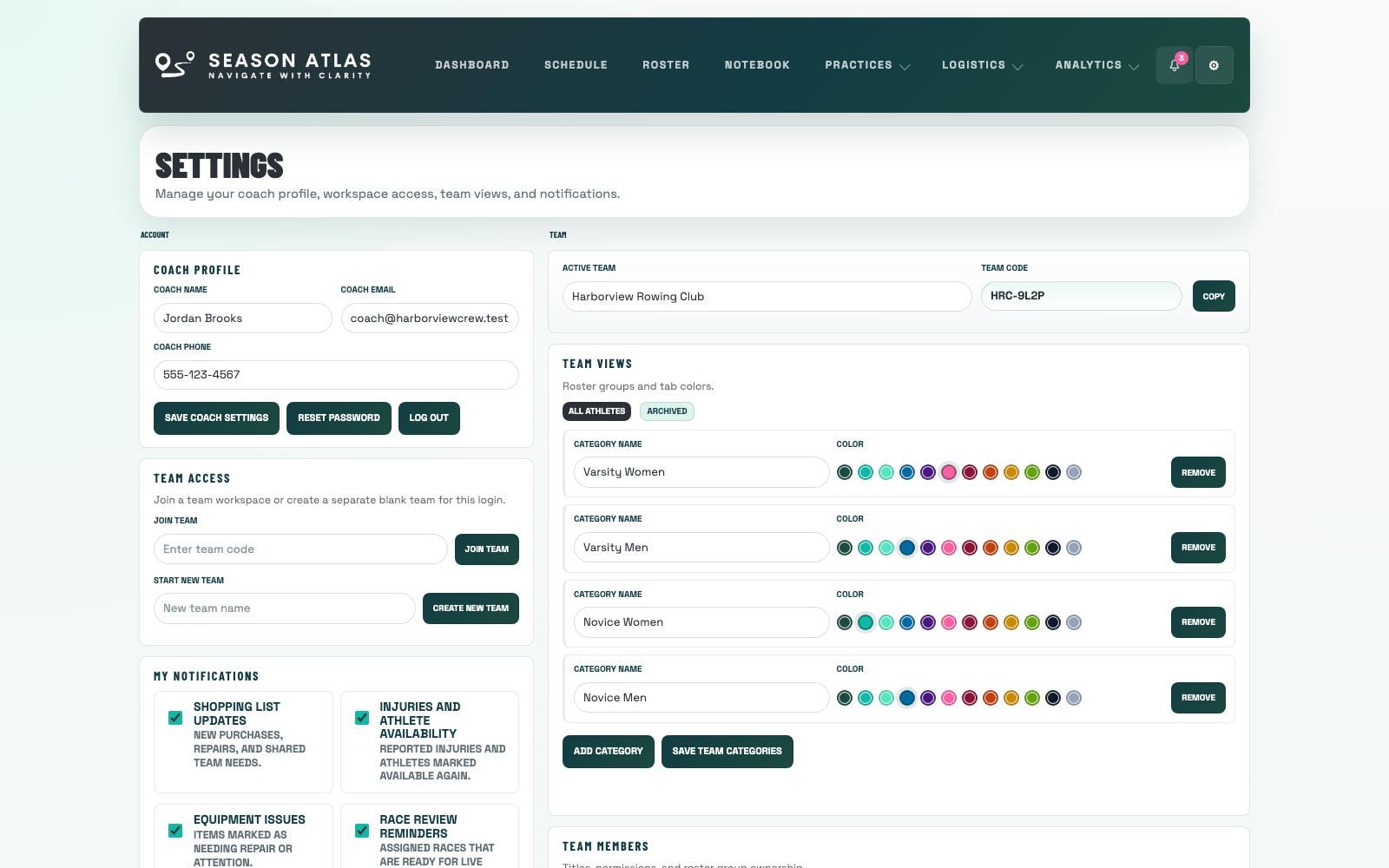
Season Atlas settings page showing coach profile, team access, notifications, and permissions

Slide 9

Problem: shared access needs to stay clear.

Coach profile, team views, phone formatting, notification choices, and coach permissions live together in Settings.

Why it matters: other coaches can join with fewer setup mistakes.

Problems And Systems

Why it works

Rankings with locks

Set percentage profiles, protect locked weights, and save the profile only when the board is ready.

Cleaner test history

Import flexible test categories, normalize duplicate names, and merge accidental repeats while keeping the data.

Coach-ready setup

Profile details, team access, notification choices, and permissions stay clear before more coaches join.